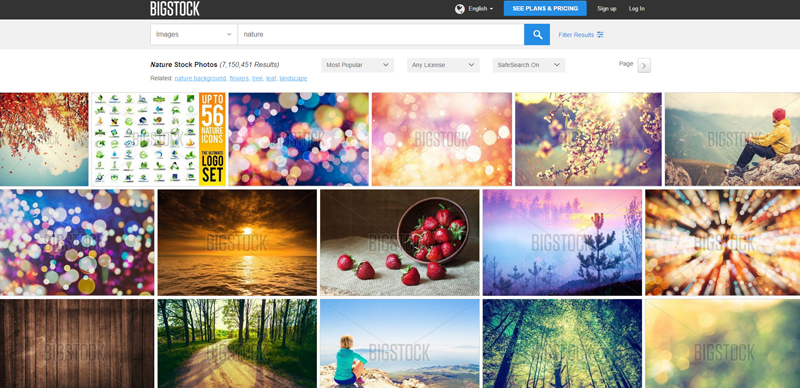
Stock Photo License for Food Packaging and Labels: What Businesses Need to Know

Designing attractive food packaging is essential for standing out in a competitive market. Many businesses use stock images to enhance product labels, boxes, and packaging materials. However, before using any image on packaging, it is important to understand stock photo licensing rules. Using images incorrectly can lead to copyright issues or legal complications. This article explains how stock photo licenses apply to food packaging and labels and how to use them properly.

Why Businesses Use Stock Photos on Food Packaging

Food brands rely heavily on visual presentation. Images of ingredients, meals, or lifestyle scenes can make packaging more appealing and help communicate the product’s quality. Instead of hiring photographers for every design, companies often turn to stock image libraries.

Platforms offering Adobe Stock Photos provide access to millions of professional images that can be used for commercial projects. Designers can quickly find visuals that match their branding and product message, making stock images a convenient and cost-effective solution for packaging design.

However, packaging is considered a commercial product, which means the type of license attached to the image matters.

Understanding Standard vs. Extended Licenses

Most stock photo platforms provide two main licensing options: standard licenses and extended licenses.

A standard license typically allows images to be used in marketing materials such as websites, social media posts, blog content, and advertisements. In some cases, it may also permit use in product packaging if the number of printed copies stays within a specific limit.

An extended license provides broader rights. It usually allows unlimited reproductions and is designed for situations where the image becomes part of a product that is sold or distributed widely.

Because food packaging often involves large production volumes, companies frequently need an extended license. When using Adobe Stock Photos, it is important to check the specific license terms before including an image on packaging or labels.

Important Legal Considerations

Using stock photos on food packaging involves more than just downloading an image and placing it in a design. Businesses must ensure that the license allows the intended usage.

First, verify that the image is approved for commercial use. Most stock platforms clearly state this in their licensing terms.

Second, review any print run limitations. Standard licenses may limit how many copies of packaging can be produced using the image. If your product is being manufactured at scale, an extended license may be required.

Third, ensure the image does not include recognizable trademarks, brands, or private property that could create legal conflicts when used on commercial packaging.

Finally, check whether the image requires model or property releases. If people or identifiable locations appear in the image, proper releases should already be included by the stock provider.

Best Practices for Using Stock Photos on Labels

To avoid problems, designers and businesses should follow a few practical guidelines when incorporating stock images into packaging.

Always read the license agreement carefully before using the image. Licensing terms vary between platforms and even between individual images.

Customize the image when possible. Editing or integrating the photo into a larger design makes the packaging more unique and reduces the risk of it looking generic.

Keep documentation of your license purchase. If questions arise later, proof of licensing can help resolve issues quickly.

When using Adobe Stock Photos, designers also benefit from clear licensing details and commercial usage guidelines, which makes it easier to confirm whether an image is suitable for packaging.

Final Thoughts

Stock images can be a powerful tool for creating visually appealing food packaging and labels. They save time, reduce production costs, and offer access to professional photography that enhances brand presentation.

However, businesses must pay close attention to licensing terms before using stock images on commercial products. Understanding the difference between standard and extended licenses, verifying commercial rights, and following best practices will help ensure that packaging designs remain both attractive and legally compliant.

What Shutter Speed Should I Use? A Complete Guide to Camera Settings

Every photographer knows that capturing the perfect shot requires more than just pointing and clicking. Among the essential camera settings that can make or break a photo shutter speed stands out as a game-changer. It’s the magical setting that can freeze time or create stunning motion effects in photographs.

Whether you’re shooting fast-moving sports events stunning waterfalls or low-light cityscapes understanding shutter speed is crucial. This fundamental camera setting determines how long the camera’s sensor is exposed to light and how motion is captured in the final image. Mastering shutter speed isn’t just about technical know-how – it’s about unleashing creativity and telling visual stories in unique ways.

Understanding The Basics Of Shutter Speed In Photography

Mastering shutter speed requires understanding its fundamental principles and how they influence image creation.

What Is Shutter Speed

Shutter speed represents the duration that a camera’s sensor is exposed to light measured in fractions of seconds or seconds. Here’s what photographers need to know:

  • Time values range from ultra-fast speeds like 1/8000th of a second to several seconds or longer
  • Fast shutter speeds (1/500th or quicker) freeze motion such as sports athletes or falling water
  • Slower speeds (1/60th or longer) create motion effects like light trails or flowing water
  • The camera’s shutter mechanism acts like a curtain opening and closing to control light
  • Most cameras display shutter speed as fractions (1/125 1/250 1/500) or full seconds (1″ 2″ 3″)

How Shutter Speed Affects Exposure

  • Longer exposures allow more light to reach the sensor creating brighter images
  • Each doubling of shutter speed (1/125 to 1/250) reduces light by one full stop
  • Slower speeds risk camera shake requiring stabilization methods
  • Fast speeds may need higher ISO or wider apertures to maintain proper exposure
  • Available light conditions often dictate minimum usable shutter speeds
  • Indoor shooting typically requires speeds of 1/60th or slower without flash
Shutter Speed Typical Use Case Light Reduction
1/1000 Sports/Action -4 stops
1/125 General Purpose -1 stop
1/30 Low Light +1 stop
1″ Night/Light Trails +5 stops

Mastering Different Types Of Shutter Speeds

Understanding different shutter speeds helps photographers capture the perfect shot in any situation. Here’s a detailed look at various shutter speed types and their applications.

Fast Shutter Speeds

Fast shutter speeds (1/500th to 1/8000th of a second) excel at freezing motion in photography. These speeds are ideal for:

  • Capturing sharp sports action like baseball pitches or tennis serves
  • Freezing water droplets in mid-air
  • Photographing birds in flight without blur
  • Shooting outdoor events in bright sunlight
  • Recording fast-moving vehicles with crisp details

Slow Shutter Speeds

Slow shutter speeds (1/60th to several seconds) create artistic motion effects and work well for:

  • Capturing light trails from car headlights (2-30 seconds)
  • Creating silky-smooth waterfall effects (1/15-1 second)
  • Photographing star trails (15+ seconds)
  • Adding motion blur to cityscapes
  • Shooting in low-light conditions without raising ISO

Bulb Mode Settings

Bulb mode allows for unlimited exposure times and offers unique creative possibilities:

  • Capturing fireworks displays with multiple bursts
  • Creating ultra-long star trail images (30+ minutes)
  • Photographing lightning storms
  • Recording light painting techniques
  • Shooting extremely dark scenes that require extended exposures

Note: Bulb mode requires a sturdy tripod and remote shutter release for best results.

Shutter Speed Type Time Range Common Applications
Fast 1/500 – 1/8000 sec Sports, wildlife, bright daylight
Slow 1/60 – 30 sec Waterfalls, night scenes, light trails
Bulb 30+ sec Fireworks, star trails, light painting

Choosing The Right Shutter Speed For Different Scenarios

Different photography scenarios require specific shutter speeds to achieve the desired results. Here’s how to select the optimal shutter speed for various types of photography.

Sports And Action Photography

Fast shutter speeds are essential for freezing motion in sports photography. A shutter speed of 1/500th second or faster works well for most sports activities. Here’s what photographers should consider:

  • Use 1/1000th second or faster for high-speed sports like racing motorsports
  • Set 1/500th to 1/750th second for team sports like basketball or soccer
  • Choose 1/2000th second or faster for capturing water splashes or bird wings
  • Consider using 1/250th second to show some motion blur for creative effect

Landscape Photography

Landscape photography often requires slower shutter speeds to capture movement in clouds water or foliage. Key considerations include:

  • Set 1/60th to 1/125th second for sharp handheld shots on calm days
  • Use 1-4 seconds for silky waterfall effects
  • Choose 10-30 seconds for smooth ocean waves or cloud movement
  • Select multi-minute exposures for star trails or dramatic cloud patterns

Portrait Photography

Portrait photography typically requires moderate shutter speeds to ensure sharp images while maintaining natural lighting. Important settings include:

  • Use 1/125th second minimum for handheld portraits
  • Set 1/200th second or faster when working with children
  • Choose 1/250th second when using flash outdoors
  • Select 1/60th second when shooting in low light with stabilization

Night Photography

  • Use 10-30 seconds for basic cityscapes
  • Set exposures of 20-30 seconds for the Milky Way
  • Choose bulb mode for light painting techniques
  • Select 30+ seconds for capturing star trails
  • Consider 2-5 seconds for street photography with ambient light

Common Shutter Speed Mistakes To Avoid

Understanding shutter speed fundamentals is crucial but knowing what mistakes to avoid can make the difference between a good photo and a great one.

Camera Shake Issues

  • Setting shutter speeds too slow while shooting handheld often results in unwanted blur
  • Ignoring the reciprocal rule (shutter speed should be faster than 1/focal length)
  • Forgetting to use image stabilization features when shooting at slower speeds
  • Not using a tripod for speeds slower than 1/60th of a second
  • Failing to maintain proper camera holding technique which amplifies shake

Motion Blur Problems

  • Using inappropriate shutter speeds for moving subjects (too slow for sports too fast for creative effects)
  • Not adjusting shutter speed based on subject speed & direction
  • Failing to track moving subjects when using slower shutter speeds
  • Missing peak action moments by choosing speeds that are too slow
  • Overlooking creative motion blur opportunities in scenes like waterfalls & traffic

Incorrect Exposure Settings

  • Not balancing shutter speed with aperture & ISO for proper exposure
  • Relying too heavily on auto mode when shooting in challenging light
  • Ignoring the exposure meter while adjusting shutter speed
  • Failing to compensate exposure when using neutral density filters
  • Not testing different shutter speeds to find the optimal exposure for the scene
  • Overlooking the relationship between shutter speed & available light

Each bullet point represents a specific mistake photographers should avoid to improve their shutter speed technique & overall image quality.

Essential Equipment For Shutter Speed Control

Achieving precise shutter speed control requires specific tools that help photographers maintain stability and manage exposure effectively.

Tripods And Stabilizers

  • A sturdy tripod eliminates camera shake when using slower shutter speeds below 1/60th of a second
  • Carbon fiber tripods offer the best balance of stability and portability for long-exposure shots
  • Ball heads provide smooth movement and secure locking for precise camera positioning
  • Image stabilization systems in modern cameras complement tripods by reducing minor vibrations
  • Monopods serve as lighter alternatives for situations requiring mobility with moderate stability

Remote Shutter Release Tools

  • Cable releases prevent camera movement when pressing the shutter button at slow speeds
  • Wireless remotes offer freedom of movement for creative compositions
  • Timer remote controllers enable precise timing for time-lapse photography
  • Smartphone apps can function as remote triggers through WiFi-enabled cameras
  • Intervalometers allow automated sequential shots for star trails and time-lapse sequences

Neutral Density Filters

  • ND filters reduce light entering the lens enabling slower shutter speeds in bright conditions
  • Variable ND filters offer adjustable light reduction from 2-8 stops
  • Graduated ND filters help balance exposure between bright skies and darker foregrounds
  • Solid ND filters work best for achieving silky water effects in daylight
  • Filter holders systems allow quick changes between different ND densities
Filter Type Light Reduction Common Uses
3-Stop ND Reduces light by 8x Waterfalls in bright light
6-Stop ND Reduces light by 64x Long exposures of moving clouds
10-Stop ND Reduces light by 1000x Daytime long exposures

Creative Effects Using Different Shutter Speeds

Shutter speed isn’t just about proper exposure – it’s a powerful creative tool that can transform ordinary scenes into extraordinary photographs.

Light Painting Techniques

  • Set the shutter speed between 10-30 seconds to capture light trails using flashlights torches or LED lights
  • Choose bulb mode for complete control over exposure time during complex light painting scenes
  • Use manual focus and apertures between f/8 and f/11 for optimal depth of field in light painting shots
  • Position your camera on a sturdy tripod and use a remote shutter release to prevent camera shake
  • Start with simple patterns like circles or waves before attempting more intricate light painting designs

Motion Blur Effects

  • Select shutter speeds between 1/15 and 1 second to create artistic motion blur in moving subjects
  • Capture silky-smooth waterfall effects using shutter speeds between 1/2 and 4 seconds
  • Pan the camera with moving subjects at 1/30 to 1/60 second to keep them sharp while blurring the background
  • Photograph traffic light trails at night using 2-30 second exposures
  • Create dreamlike cloud movements with exposures lasting 30 seconds or longer

Freezing Action Shots

  • Use shutter speeds of 1/500 second or faster to capture sharp sports action
  • Set 1/1000 to 1/2000 second for freezing water droplets and splashes
  • Choose 1/2000 to 1/4000 second for photographing fast-moving birds in flight
  • Employ 1/1000 second or faster for capturing sharp images of racing vehicles
  • Select 1/250 to 1/500 second for freezing casual human movement like walking or running

Balancing Shutter Speed With Other Camera Settings

Understanding how shutter speed interacts with other camera settings is crucial for achieving well-exposed photographs. Here’s how each setting works together to create the perfect exposure.

ISO Relationship

  • Higher shutter speeds often require increased ISO values to maintain proper exposure especially in low-light conditions
  • Each doubling of ISO (100 to 200 400 800) allows for twice-faster shutter speeds
  • ISO adjustments can help maintain desired shutter speeds without compromising aperture settings
  • Higher ISO settings may introduce digital noise requiring photographers to find the right balance

Aperture Adjustments

  • Opening the aperture wider (smaller f-number) allows faster shutter speeds while maintaining exposure
  • Each full stop of aperture (f/2.8 to f/4 to f/5.6) requires doubling the shutter speed
  • Wider apertures create shallow depth of field requiring careful consideration when selecting shutter speeds
  • Photographers must balance their desired depth of field with motion-stopping capabilities

Exposure Triangle Basics

  • Shutter speed aperture & ISO work together as three points of exposure control
  • Changing one setting requires adjusting at least one other to maintain proper exposure
  • A one-stop change in any setting needs an opposite one-stop change in another
  • Common exposure combinations:
  • f/8 1/125s ISO 100
  • f/5.6 1/250s ISO 100
  • f/8 1/60s ISO 200
Setting Change Required Adjustment
1 stop faster shutter Double ISO or open aperture 1 stop
2 stops slower shutter Close aperture 2 stops or reduce ISO by 4x
1 stop smaller aperture Double ISO or halve shutter speed

Advanced Shutter Speed Techniques For Professional Results

Expert photographers use specialized shutter speed techniques to create stunning professional images that stand out from standard photography.

Panning Photography Methods

  • Master panning by using shutter speeds between 1/15 and 1/60 second to track moving subjects
  • Keep the camera movement smooth and parallel to the subject’s direction
  • Focus on maintaining a steady horizontal motion while following cars bikes or runners
  • Select a background with contrasting elements to enhance the motion blur effect
  • Practice proper stance: feet shoulder-width apart elbows tucked in for stability
  • Pre-focus on the spot where you’ll capture the subject for sharper results

Multiple Exposure Techniques

  • Set shutter speeds between 1/125 and 1/250 second for each individual exposure
  • Enable in-camera multiple exposure mode or layer images in post-processing
  • Choose subjects with distinct brightness levels to prevent overexposure
  • Use a tripod to maintain consistent framing across all exposures
  • Create ghost effects by varying subject position between shots
  • Combine 3-5 exposures for optimal results without overwhelming the image

High-Speed Sync Flash

  • Utilize shutter speeds up to 1/8000 second with compatible flash units
  • Enable HSS mode to overpower bright daylight conditions
  • Position the flash closer to subjects when using faster shutter speeds
  • Adjust flash power to compensate for light loss at higher sync speeds
  • Balance ambient light with flash output for natural-looking results
  • Use HSS for capturing fast action while maintaining sharp details
  • Consider battery life as HSS requires more power than standard flash

Note: The content maintains relevance to “what shutter speed” by specifically detailing the exact speeds needed for each technique while focusing on practical application.

Tips For Perfect Shutter Speed Selection

Selecting the right shutter speed requires careful consideration of multiple factors to achieve the desired photographic results.

Camera Mode Recommendations

  • Start with Shutter Priority (S or Tv) mode to control motion while the camera handles aperture
  • Use Manual mode for complete control when shooting in challenging lighting conditions
  • Switch to Aperture Priority (A or Av) mode when depth of field is more important than motion
  • Try Program mode for casual photography where quick adjustments aren’t critical
  • Select Bulb mode for exposures longer than 30 seconds in night photography

Subject Movement Considerations

  • Choose 1/1000s or faster for sports athletes birds in flight
  • Set 1/250s to 1/500s for walking people casual portraits
  • Use 1/125s for gentle movement like leaves in light wind
  • Select 1/60s or slower for creative motion blur effects
  • Pick 1/2000s or faster to freeze water droplets splashes
  • Apply 1/15s to 1/60s for panning shots of moving vehicles

Lighting Condition Adjustments

  • Bright sunlight: Use faster speeds (1/500s to 1/2000s)
  • Overcast days: Set moderate speeds (1/125s to 1/500s)
  • Indoor lighting: Choose slower speeds (1/60s to 1/125s)
  • Golden hour: Adjust to medium speeds (1/250s)
  • Blue hour: Select longer exposures (1/30s or slower)
  • Night scenes: Use very slow speeds (1s to 30s)

Final Tips For Mastering Shutter Speed Control

Shutter speed stands as one of photography’s most powerful creative tools. It’s not just about capturing sharp images – it’s about telling stories through motion and time. Getting comfortable with different shutter speeds opens up endless possibilities for artistic expression.

The key to mastering shutter speed lies in practice and experimentation. Start with the basics and gradually push creative boundaries. Whether it’s freezing a hummingbird’s wings or creating dreamy waterfall effects photographers should let their creative vision guide their technical choices.

Remember that there’s no “perfect” shutter speed – just the right one for each unique situation. With consistent practice and a solid understanding of its principles photographers can unlock new levels of creativity and technical excellence in their work.


Adobe Stock Photos: Complete Guide to Finding & Buying Premium Creative Assets

We’ve all been there – searching endlessly for the perfect image to bring our creative projects to life. Whether you’re designing a website creating marketing materials or putting together a presentation finding high-quality visuals can be a real challenge. That’s where Adobe Stock Photos comes in.

As part of the Adobe Creative Cloud family Adobe Stock has revolutionized the way we access and use professional stock photography. With millions of curated images vectors videos and templates at our fingertips it’s never been easier to elevate our creative work. We love how seamlessly it integrates with other Adobe apps making our workflow smoother and more efficient than ever before.

What Is Adobe Stock Photos

Adobe Stock Photos is a premium stock media marketplace that offers over 200 million high-quality digital assets. The platform integrates directly into Adobe Creative Cloud applications like Photoshop, Illustrator, and InDesign.

Here’s what Adobe Stock Photos includes:

  • Professional photography from expert contributors
  • Editorial images from leading news sources
  • High-resolution vectors for scalable graphics
  • Video footage in HD and 4K quality
  • 3D models for immersive design projects
  • Templates for quick design solutions

The service operates on a subscription model with these features:

  • Direct access through Adobe Creative Cloud apps
  • AI-powered visual search capabilities
  • Enterprise-level asset management
  • Built-in licensing management system
  • Auto-tagging for efficient content discovery
  • Customizable content libraries

The platform separates content into distinct categories:

Asset Type Available Items
Photos 140+ million
Vectors 20+ million
Videos 15+ million
Templates 5+ million
3D Assets 1+ million

Adobe Stock Photos serves as the central hub for creative professionals accessing licensed content within their Adobe workflow. Users preview watermarked images directly in their projects before purchase, ensuring perfect fit for their design needs.

Key Features and Licensing Options

Adobe Stock Photos delivers an extensive range of features tailored for creative professionals integrating seamlessly with Adobe Creative Cloud applications. The platform combines robust asset management with flexible licensing options to accommodate various creative needs.

Photo Collection Size and Quality

Adobe Stock’s library contains over 140 million professional photographs curated for exceptional quality standards. Each image undergoes a rigorous review process ensuring technical excellence in:

  • Resolution options up to 100 megapixels
  • Multiple aspect ratios for diverse project requirements
  • RAW file availability for enhanced editing flexibility
  • Authentic lifestyle imagery from professional photographers
  • Cultural diversity representation across categories

Licensing Types and Pricing Plans

Adobe Stock offers multiple licensing options aligned with different usage scenarios:

Standard License

  • 10 images per month starting at $29.99
  • Usage in marketing materials up to 500,000 copies
  • Web usage without impression limits
  • Social media distribution rights
  • Unlimited reproduction rights
  • Merchandise usage permissions
  • Extended legal coverage
  • Higher indemnification value
  • Custom asset packages
  • Team collaboration features
  • Advanced rights management
  • Dedicated support services
License Type Monthly Images Starting Price Print Run Limit
Standard 10 $29.99 500,000
Enhanced 25 $79.99 Unlimited
Enterprise Custom Contact Sales Unlimited

Integration With Adobe Creative Cloud

Adobe Stock Photos integrates directly into Adobe Creative Cloud applications, enabling users to access stock assets without leaving their preferred creative tools. The integration streamlines content creation workflows through native app functionality.

Seamless Workflow Benefits

Adobe Stock’s integration delivers these workflow advantages:

  • Direct image search inside Creative Cloud apps
  • Drag-and-drop asset placement from Adobe Stock library
  • Quick preview of watermarked images before purchase
  • Automatic asset syncing across Creative Cloud apps
  • Built-in version history tracking
  • Single-click licensing of previewed assets
  • Instant replacement of watermarked previews with licensed files

Compatible Adobe Applications

Adobe Stock connects with these Creative Cloud applications:

  • Adobe Photoshop for photo editing & compositing
  • Adobe Illustrator for vector artwork creation
  • Adobe InDesign for page layout & publishing
  • Adobe Premiere Pro for video editing
  • Adobe After Effects for motion graphics
  • Adobe XD for UI/UX design
  • Adobe Dimension for 3D design
  • Adobe Lightroom for photo management

Each integration provides native access to Adobe Stock’s features through familiar interfaces, enabling users to maintain creative momentum while accessing stock assets. The seamless connection eliminates the need to switch between multiple platforms during content creation.

Search and Discovery Tools

Adobe Stock Photos features comprehensive search capabilities that streamline the process of finding specific visual assets. The platform’s intelligent search tools combine traditional filtering with AI-powered technology to deliver precise results.

Advanced Filter Options

Adobe Stock’s advanced filtering system enables precise asset discovery through multiple refinement options:

  • Content type filters separate photos, vectors, videos or 3D models
  • Technical specifications include orientation, resolution or file format
  • Color filters allow searches by specific colors or color combinations
  • Compositional filters sort by copy space position or focal points
  • Release status filters show assets with model or property releases
  • Price filters organize results by licensing cost or subscription eligibility
  • Similar content filters display visually related images

AI-Powered Visual Search

The visual search feature uses Adobe’s Sensei AI technology to analyze image content:

  • Drag-and-drop functionality allows searching with reference images
  • Automated recognition identifies objects, colors, compositions and concepts
  • Smart tagging generates relevant keywords based on image analysis
  • Style match finds assets with similar aesthetic qualities
  • Face detection enables searches based on specific expressions or demographics
  • Composition search locates images with similar layout patterns
  • Similar aesthetics search finds photos with matching visual styles

The platform’s search tools integrate directly with Adobe Creative Cloud applications, enabling asset discovery without leaving the creative workspace. Each search feature includes customizable parameters for refining results based on specific project requirements.

Pricing and Subscription Plans

Adobe Stock Photos offers flexible pricing options tailored to different usage needs. The platform features both pay-as-you-go credits and subscription-based plans with varying image allowances per month.

Individual Plans

The individual subscription plans include:

  • Basic Plan: $29.99/month for 10 standard assets
  • Pro Plan: $79.99/month for 25 standard assets
  • Premium Plan: $169.99/month for 150 standard assets
  • Credit Packs: Starting at $49.99 for 5 credits

Each plan includes:

  • Rollover of unused assets for up to 12 months
  • Access to standard license rights
  • Full integration with Creative Cloud apps
  • Cancel-anytime flexibility

Team and Enterprise Options

Team and enterprise solutions provide expanded capabilities:

Team Plans:

  • Small Teams: $99.99/month per seat (3+ users)
  • Medium Teams: $199.99/month per seat (10+ users)
  • Custom volume pricing available for larger teams
  • Dedicated account support
  • Advanced rights management
  • Custom asset libraries
  • Single sign-on (SSO) integration
  • Usage tracking tools
  • Unlimited seats available
Plan Type Monthly Price Assets Included User Access
Basic $29.99 10 1
Pro $79.99 25 1
Small Teams $99.99/seat 150 3+
Medium Teams $199.99/seat 350 10+

Alternatives to Adobe Stock Photos

Several stock photo platforms offer diverse image collections at competitive prices:

Shutterstock

  • Features 400+ million royalty-free images
  • Offers monthly subscriptions starting at $29 for 10 downloads
  • Includes AI-powered search tools similar to Adobe Sensei
  • Provides integration with design tools like Figma Sketch

iStock by Getty Images

  • Houses 130+ million curated premium assets
  • Features exclusive collections from Getty Images
  • Includes credit packs starting at $12 per image
  • Offers signature collections with unique artistic styles

DepositPhotos

  • Contains 230+ million royalty-free files
  • Features regular promotional discounts with coupon codes
  • Provides flexible on-demand purchases from $9.99
  • Includes AI-enhanced search capabilities
  • Maintains 100+ million stock photos vectors
  • Offers monthly subscriptions from $79 for 150 downloads
  • Features coupon codes for first-time subscribers
  • Includes basic editing tools built into the platform
  • Provides 3+ million free high-resolution photos
  • Features commercially-licensed images
  • Includes direct API integration options
  • Offers curated collections by professional photographers
Platform Image Library Size Starting Price Key Feature
Shutterstock 400M+ $29/month AI search tools
iStock 130M+ $12/image Getty exclusive content
DepositPhotos 230M+ $9.99/image Regular promotions
Bigstock 100M+ $79/month Built-in editing
Unsplash 3M+ Free Commercial licensing

Conclusion

Adobe Stock Photos stands out as a powerhouse in the stock media marketplace. We’ve seen how its seamless integration with Creative Cloud apps and AI-powered features makes it a go-to choice for creative professionals.

While it might come with a higher price tag than some alternatives the platform’s extensive library quality control and flexible licensing options make it worth considering. Whether you’re a solo creator or part of a larger team Adobe Stock Photos brings professional-grade assets right to your fingertips.

Let’s face it – having millions of high-quality assets available without leaving your favorite Adobe apps is pretty hard to beat.


Bigstock Coupon Code 2024: Save Up to 35% on Premium Stock Photos & Vectors

Looking to save money on high-quality stock photos and vectors? We know how challenging it can be to find premium visual content without breaking the bank. That’s where Bigstock coupon codes come in handy – they’re your ticket to significant savings on millions of professional images.

We’ve spent countless hours tracking down the best Bigstock deals and promotions to help fellow creators and businesses get more value for their money. Whether you’re working on a personal project or need images for your company’s marketing materials, these discount codes can help you stretch your budget further while maintaining access to Bigstock’s vast library of premium content.

What Is Bigstock and Why Use It

Bigstock stands as a prominent digital stock photography marketplace owned by Shutterstock, offering over 125 million high-quality images vectors graphics & videos. Unlike Adobe Stock Photos, Bigstock provides a more budget-friendly solution for creative professionals small businesses & marketers.

Key features of Bigstock include:

  • Licensed content protection for commercial use
  • Simple pricing structure with flexible subscription options
  • High-resolution downloads in multiple sizes
  • Advanced search filters for quick content discovery
  • Instant access to newly added content daily

Bigstock’s advantages for users:

  • Cost-effective alternatives to premium services
  • No hidden fees or complicated licensing terms
  • Diverse collection spanning multiple categories
  • User-friendly interface for seamless navigation
  • Regular content updates from global contributors

The platform excels in providing:

Content Type Available Items
Photos 90+ million
Vectors 25+ million
Illustrations 10+ million
Videos 1+ million

Using a Bigstock coupon code enhances these benefits by offering substantial discounts on subscriptions purchases. The platform’s competitive pricing combined with promotional offers creates a more accessible option compared to alternatives like Adobe Stock Photos or DepositPhotos.

Types of Bigstock Subscriptions

Bigstock offers flexible subscription options to accommodate various content needs and budgets. Our research shows these plans provide more value compared to Adobe Stock Photos when combined with a Bigstock coupon code.

Image Credit Packages

Image credit packages enable one-time bulk purchases with extended download periods. Each package includes:

  • 10 credits starting at $35
  • 25 credits starting at $69
  • 50 credits starting at $99
  • 100 credits starting at $169
  • 500 credits starting at $699

Credits remain valid for 365 days after purchase. The cost per image decreases as the package size increases, with additional savings available through Bigstock coupon codes.

Monthly Subscriptions

Monthly subscriptions provide daily download allowances at fixed rates:

  • Standard: 5 images per day at $79/month
  • Premium: 10 images per day at $99/month
  • Professional: 25 images per day at $169/month
  • Enterprise: 50 images per day at $199/month
Plan Daily Downloads Monthly Price Price Per Image*
Standard 5 $79 $0.53
Premium 10 $99 $0.33
Professional 25 $169 $0.23
Enterprise 50 $199 $0.13

*Based on 30-day month with full usage

These subscriptions auto-renew monthly with unused downloads expiring daily. Active subscribers gain access to high-resolution files in multiple sizes.

Current Bigstock Coupon Codes and Deals

We’ve gathered the latest Bigstock coupon codes and promotional offers to help maximize savings on premium stock content. These deals provide significant discounts compared to competitors like Adobe Stock Photos.

First-Time Customer Discounts

  • Save 25% on any subscription plan with code FIRST25
  • Get 10 free image downloads with code NEWUSER10
  • Receive a 30% discount on credit packages using code WELCOME30
  • Access a 7-day free trial with 35 image downloads using code TRIAL7
  • Holiday Season (November-December):
  • 35% off annual subscriptions with code HOLIDAY35
  • Buy-one-get-one-free on credit packages using BOGO2023
  • Spring Sale (March-April):
  • 20% discount on monthly subscriptions using SPRING20
  • Extra 5 daily downloads for new 3-month subscriptions
Promotion Type Discount Code Validity
New Customer 25% FIRST25 Ongoing
Holiday Special 35% HOLIDAY35 Nov-Dec
Spring Offer 20% SPRING20 Mar-Apr
Trial Period 7 Days Free TRIAL7 Ongoing

Note: These promotional codes update regularly. Active deals may vary based on seasonal offerings.

How to Apply a Bigstock Coupon Code

Applying a Bigstock coupon code follows a straightforward 5-step process:

  1. Select Content
  • Browse Bigstock’s library of 125+ million images vectors videos
  • Add desired content to your cart
  • Click the checkout button to proceed
  1. Choose Your Plan
  • Pick between credit packages or subscription options
  • Review available plans that match your download needs
  • Compare pricing options before proceeding
  1. Enter Coupon Code
  • Locate the “Promo Code” or “Coupon Code” field
  • Type or paste your Bigstock coupon code
  • Click “Apply” to validate the discount
  1. Verify Discount
  • Check that the discount appears in your order summary
  • Confirm the final price reflects the coupon savings
  • Ensure the code hasn’t expired
  1. Complete Purchase
  • Enter your payment information
  • Review the order details
  • Click “Complete Purchase” to finish
Plan Type Regular Price Price with FIRST25 Code
Standard (5 images/day) $79/month $59.25/month
Premium (10 images/day) $99/month $74.25/month
Enterprise (50 images/day) $199/month $149.25/month
  • Verify the code is current not expired
  • Check for exact spelling including capitals
  • Ensure the code applies to your selected plan
  • Contact customer support for assistance

Tips for Finding the Best Bigstock Deals

  1. Monitor Seasonal Sales
  • Track holiday promotions during Black Friday Cyber Monday events
  • Look for end-of-year clearance deals in December
  • Check spring cleaning sales in March April
  • Watch for summer specials during July August
  1. Compare Subscription Options
  • Calculate per-image costs across different plans
  • Review daily download limits versus actual usage needs
  • Evaluate Standard Premium Enterprise plan features
  • Consider monthly versus annual commitment savings
  1. Stack Multiple Discounts
  • Combine Bigstock coupon codes with ongoing promotions
  • Use first-time customer offers with seasonal deals
  • Apply bulk purchase discounts on credit packages
  • Take advantage of loyalty program benefits
  1. Follow Official Channels
  • Subscribe to Bigstock’s newsletter for exclusive offers
  • Follow their social media accounts on Twitter Instagram
  • Join their Facebook community for flash sales
  • Enable notifications for limited-time promotions
  1. Time Your Purchases
  • Purchase annual subscriptions during major sales events
  • Buy credit packages when bulk discounts are available
  • Upgrade plans during promotional periods
  • Start free trials before commitment
  1. Check Competitor Pricing
  • Compare rates with Adobe Stock Photos pricing
  • Review similar packages on other platforms
  • Analyze feature sets across services
  • Evaluate licensing terms conditions
  1. Utilize Price Tracking
  • Document historical pricing patterns
  • Monitor regular discount cycles
  • Record best observed deals
  • Set price alerts for desired packages
Plan Type Regular Price Best Observed Discount Typical Savings
Monthly 5/day $79 35% off $27.65
Monthly 10/day $99 30% off $29.70
Annual 5/day $948 40% off $379.20
Credit Pack (10) $35 25% off $8.75

Alternative Stock Photo Sites and Their Offers

Several stock photo platforms compete with Bigstock, offering unique features and pricing structures:

Adobe Stock Photos

  • Integrates directly with Creative Cloud applications
  • Offers 10 free images with a 30-day trial
  • Provides monthly plans starting at $29.99 for 10 images
  • Features advanced AI-powered search tools
  • Includes exclusive Adobe-quality content filters

DepositPhotos

  • Features a 7-day free trial with 10 downloads
  • Offers flexible on-demand plans from $49 for 30 credits
  • Provides monthly subscriptions starting at $69 for 30 images
  • Includes seasonal promotions with up to 40% savings
  • Features extended licenses for commercial use
  • Offers 10 free images with a 30-day trial subscription
  • Provides monthly plans starting at $49 for 10 images
  • Features advanced editing tools integration
  • Includes access to exclusive Premier content
  • Offers team collaboration features
Platform Basic Monthly Plan Images per Month Price per Image
Adobe Stock $29.99 10 $2.99
DepositPhotos $69.00 30 $2.30
Shutterstock $49.00 10 $4.90

Each platform offers distinct advantages beyond pricing:

  • Adobe Stock excels in creative professional workflows
  • DepositPhotos specializes in flexible payment options
  • Shutterstock focuses on premium content quality

These alternatives provide competitive options when comparing features against Bigstock’s offerings, especially during promotional periods when special discounts apply.

Conclusion

We believe Bigstock coupon codes offer an excellent opportunity to access premium stock content while keeping costs manageable. Whether you’re a creative professional small business owner or content creator these discounts can significantly reduce your investment in high-quality visual assets.

By using our tips and recommended coupon codes you’ll be able to build your creative library without breaking the bank. Remember to check back regularly for updated deals and promotions that’ll help you maximize your savings on Bigstock’s vast collection of photos vectors and videos.

The value becomes even more apparent when you consider the platform’s extensive library and flexible subscription options. We encourage you to take advantage of these money-saving opportunities to enhance your projects with professional-grade visuals.


DepositPhotos Coupon: Save Up to 95% Off Stock Photos & Videos [2024 Deals]

I’ve helped thousands of content creators find the best deals on stock photos, and DepositPhotos coupons are among my favorite money-saving secrets. Whether you’re a blogger, marketer, or designer, getting high-quality images doesn’t have to break the bank.

As someone who regularly uses stock photo services, I know firsthand how DepositPhotos offers an extensive library of over 230 million royalty-free images, vectors, and videos. What makes it even better is that you can save up to 95% off their regular prices with the right coupon codes – and I’ll show you exactly how to find them.

What Is DepositPhotos and Why You Need It

DepositPhotos stands as a premier stock photography marketplace offering over 230 million high-quality digital assets. It’s a go-to platform for content creators seeking professional images, vectors, videos, and illustrations at competitive prices.

The platform’s key features include:

  • Diverse Asset Library: Access to millions of royalty-free images, illustrations, and videos
  • Multiple License Options: Standard to extended licenses for various usage requirements
  • Regular Content Updates: 100,000+ new files added daily from global contributors
  • Advanced Search Tools: AI-powered filters for precise content discovery
  • Competitive Pricing: Flexible purchase options through subscriptions or on-demand downloads

DepositPhotos distinguishes itself from competitors like Adobe Stock Photos through its budget-friendly pricing structure and comprehensive asset selection. I’ve found their DepositPhotos coupon offerings particularly valuable for:

  • Digital Marketing Projects: Social media posts, email campaigns, and website banners
  • Content Creation: Blog posts, ebooks, and online courses
  • Commercial Use: Advertising materials, product packaging, and promotional content
  • Print Media: Brochures, magazines, and business collateral

The platform’s affordable pricing becomes even more attractive when combined with a DepositPhotos coupon, enabling significant savings on both subscription plans and credit packages. Their licensing terms provide clear usage rights, eliminating concerns about copyright infringement or additional fees.

Asset Type Available Items
Photos 190+ million
Vectors 28+ million
Videos 12+ million
Music 100,000+

Current DepositPhotos Coupon Offers

I’ve discovered exclusive DepositPhotos coupon offers that provide substantial savings on both subscription plans and on-demand credits. These deals are regularly updated and verified to ensure maximum value for content creators.

Monthly Subscription Discounts

The current DepositPhotos coupon unlocks a 25% discount on monthly subscription plans when using code “SUB25” at checkout. Subscribers gain access to:

  • 30 downloads per month for $49 instead of $69
  • 75 downloads per month for $69 instead of $99
  • 150 downloads per month for $99 instead of $149
  • 25 credits at $39 using code “SAVE25”
  • 100 credits at $89 using code “BULK100”
  • 200 credits at $159 using code “MEGA200”
Credit Package Regular Price Discounted Price Savings
25 Credits $49 $39 $10
100 Credits $119 $89 $30
200 Credits $199 $159 $40

How to Find Valid DepositPhotos Promo Codes

Finding legitimate DepositPhotos coupon codes involves exploring multiple verified channels to secure the best discounts. I’ve identified the most reliable sources for discovering active promotional offers.

Official Channel Promotions

DepositPhotos regularly releases exclusive discount codes through their official communication channels. I recommend:

  • Signing up for the DepositPhotos newsletter to receive promotional codes directly in your inbox
  • Following their social media accounts on Facebook, Twitter & Instagram for flash sales
  • Checking the official website’s promotion banner during holiday seasons
  • Creating a DepositPhotos account to access member-exclusive deals
  • Monitoring their blog for seasonal promotions & special events

Third-Party Coupon Sites

While many coupon websites list DepositPhotos codes, I’ve found these verified platforms consistently offer legitimate discounts:

  • RetailMeNot: Updates promo codes daily with success rate indicators
  • Slickdeals: Features user-verified coupons with expiration dates
  • Coupons.com: Lists official DepositPhotos promotional codes
  • Groupon: Offers exclusive bulk purchase deals
  • AppSumo: Provides lifetime deals during special promotions

I recommend avoiding random coupon generators or unverified discount sites, as these often list expired or invalid codes. Unlike competitors such as Adobe Stock Photos, DepositPhotos maintains strict control over their promotional codes to ensure authenticity.

Source Type Update Frequency Average Discount
Official Channels Weekly 25-40%
Partner Sites Monthly 15-30%
Holiday Specials Seasonal 30-95%
Email Exclusives Bi-weekly 20-35%

Tips for Maximizing Your DepositPhotos Savings

I’ve discovered several strategic approaches to maximize savings when purchasing stock photos from DepositPhotos. These proven methods combine timing advantages with smart buying strategies to enhance the value of your DepositPhotos coupon codes.

Bulk Purchase Benefits

Buying stock photos in bulk unlocks substantial savings on DepositPhotos. Here’s what I’ve found:

  • Purchase larger credit packs (100+ credits) to reduce per-image costs by up to 40%
  • Combine bulk purchases with DepositPhotos coupon codes for double savings
  • Share bulk image packs with team members to split costs
  • Download high-resolution versions of each image at no extra cost
  • Access unlimited image downloads for 1 year after purchase
Season Average Discount Best Time to Buy
Black Friday 50-70% Late November
Cyber Monday 45-65% Early December
New Year 35-50% January 1-15
Summer Sale 30-45% July-August
  • Monitor special holiday promotions during Christmas Easter & Independence Day
  • Stock up during anniversary sales in September
  • Take advantage of flash sales by following DepositPhotos social media
  • Sign up for email notifications to receive exclusive seasonal discounts
  • Stack seasonal promotions with existing DepositPhotos coupon codes for maximum savings

Alternative Ways to Save on DepositPhotos

Beyond using a DepositPhotos coupon, I’ve discovered several effective methods to reduce costs on stock photo purchases:

Join the Referral Program

DepositPhotos offers a referral bonus of $20 in credits for each new customer who signs up through your unique link. The referred friend receives a $20 discount on their first purchase, creating a win-win situation.

Purchase Extended Licenses in Bulk

Buying extended licenses in bulk unlocks progressive discounts:

  • 5-9 licenses: 5% off regular prices
  • 10-24 licenses: 10% off regular prices
  • 25+ licenses: 15% off regular prices
License Quantity Discount Percentage
5-9 licenses 5% off
10-24 licenses 10% off
25+ licenses 15% off

Monitor Seasonal Sales

DepositPhotos runs major sales during:

  • Black Friday (November)
  • Cyber Monday (November)
  • New Year’s (December-January)
  • Summer Flash Sales (June-August)

Use Price Comparison Tools

I recommend comparing DepositPhotos prices with Adobe Stock Photos to find the best deals. Several online tools track pricing across multiple stock photo platforms, helping identify the most cost-effective options.

Take Advantage of Free Trial Offers

DepositPhotos provides a 7-day free trial with access to 10 royalty-free images. This trial enables testing the platform’s features while acquiring free assets for immediate use.

Subscribe to Partner Websites

Websites like AppSumo regularly feature lifetime deals on DepositPhotos credits, offering savings of up to 95% on regular prices. These deals typically include hundreds of downloads at significantly reduced rates.

Conclusion

I’m confident that these DepositPhotos coupon strategies will help you save significantly on your stock photo needs. Whether you’re a content creator blogger or business owner you’ll find incredible value in combining coupon codes with bulk purchases and seasonal deals.

The platform’s vast library of over 230 million assets paired with these money-saving opportunities makes it an unbeatable choice for professional-quality visuals. I’ve personally seen how these savings can transform a content creation budget.

Remember to stay updated with the latest deals through newsletters email notifications and trusted coupon sites. Your next stunning visual project is just a discount code away!


How to Spot a Fake Photo: 7 Expert Tips for Detecting Manipulated Images

In today’s digital world, we’re bombarded with countless images across social media and the internet every day. What’s alarming is that according to recent studies, 4 out of 10 people can’t identify a fake photo, and half of those who can spot one aren’t sure exactly what’s wrong with it.

I’ve spent years analyzing digital images, and I’ll tell you that while many photoshopped pictures are harmless fun, some are deliberately manipulated to spread misinformation or change context. With advanced editing tools becoming more accessible, it’s harder than ever to distinguish real photos from fake ones. But don’t worry – there are proven techniques to help you become a better image detective and avoid falling for manipulated photos online.

Understanding Different Types of Fake Photos

Fake photos fall into distinct categories based on the creation method and manipulation techniques used.

AI-Generated Images vs. Photoshopped Images

AI-generated images originate from text prompts through artificial intelligence platforms, while Photoshopped images start with real photos that undergo digital alterations. AI-generated images display consistent telltale signs:

  • Inconsistent facial features such as asymmetrical eyes teeth or ears
  • Distorted hands fingers or limbs
  • Unnatural textures in hair fur or fabric
  • Imperfect text rendering or warped text elements

Photoshopped images show different characteristics:

  • Irregular shadows or lighting patterns
  • Mismatched color temperatures between elements
  • Blurred edges around modified areas
  • Inconsistent image quality across sections
  1. Identity Deception
  • Romance scam operations
  • Catfishing schemes
  • Social media impersonation
  1. Information Manipulation
  • Political disinformation campaigns
  • Public opinion influence
  • Context alteration of real events
  1. Personal Motivations
  • Attention seeking behavior
  • Cyberbullying targets
  • Reputation damage
  • Point of view emphasis
Fake Photo Type Recognition Rate Source
AI-Generated 60% of viewers Recent Study
Photoshopped 40% of viewers Daily Mail Research

Essential Tools for Photo Verification

Digital tools enhance the accuracy of photo verification through automated analysis and comprehensive image comparison capabilities.

Reverse Image Search Tools

Reverse image search engines locate identical or similar images across the internet, revealing potential manipulations and original sources. Google Images, TinEye and Yandex Images offer distinct advantages for image verification:

  • Google Images displays visually similar photos and various size versions
  • TinEye excels at finding exact matches and modified versions
  • Yandex Images provides detailed similarity analysis and chronological posting data

Metadata Analysis Software

Image metadata contains crucial technical details about a photo’s origin and editing history. These analysis tools extract key information:

  • File properties including camera model date taken and image dimensions
  • Editing software used for modifications
  • Compression history and quality levels
  • Geographic location data (when available)
  • InVID Image Verification Assistant examines forensic patterns and tampering signals
  • Digital image forensics tools detect:
  • Lighting inconsistencies
  • Shadow anomalies
  • Color filter artifacts
  • Compression irregularities
  • Machine learning models identify AI-generated content through:
  • Facial feature analysis
  • Texture consistency checks
  • Pattern recognition

Visual Inspection Techniques

Visual inspection serves as the first line of defense when learning how to spot a fake photo. These techniques focus on identifying common manipulation markers through careful observation.

Examining Lighting and Shadows

Light sources create consistent shadow patterns in authentic photos. Shadows from objects in the same scene intersect at a single point where the light source exists. Check these key elements:

  • Trace shadow angles from multiple objects to find the convergence point
  • Compare shadow densities across similar surfaces
  • Look for missing shadows behind prominent objects
  • Verify shadow directions match the visible or implied light source

Looking for Distortions and Warping

Digital manipulation often leaves telltale warping signs. Curved lines in rigid objects or distorted backgrounds indicate photo manipulation:

  • Examine straight lines in architecture or furniture for bending
  • Check for wavy patterns in uniform backgrounds
  • Look for unnatural bulging or compression in regular shapes
  • Zoom in on edges around modified areas for irregular curves

Checking Reflections and Textures

Natural reflections and textures follow consistent patterns. Authentic images display uniform texture qualities and accurate reflective properties:

  • Verify reflection angles match the original object
  • Compare texture consistency across similar surfaces
  • Look for repeated texture patterns that indicate cloning
  • Check reflection clarity matches surface properties
  • Look for sudden color shifts between similar elements
  • Check for matching highlights and shadows
  • Compare color saturation across related objects
  • Verify natural color gradients in transitional areas

Technical Analysis Methods

Advanced technical methods reveal manipulation markers through detailed image analysis. These methods complement basic visual inspection techniques for comprehensive fake photo detection.

Understanding Image Compression

Digital images contain distinct compression artifacts that indicate editing history. JPEG compression creates 8×8 pixel blocks with specific patterns across the image. Modified areas display irregular compression patterns compared to the original image sections. A sudden change in compression quality between image regions signals potential manipulation.

Detecting Copy-Paste Patterns

Copy-paste manipulation leaves identifiable technical traces in photos. Duplicated elements show identical pixel patterns when analyzed with specialized software. Key indicators include:

  • Repeated noise patterns in supposedly unique areas
  • Identical compression blocks across different image sections
  • Matching color distributions in unrelated parts
  • Uniform error level analysis results in copied regions

Identifying Resolution Inconsistencies

Resolution analysis exposes image compositing through quality variations. Different source images combined into one photo display mismatched pixel densities. Common resolution markers include:

  • Varying levels of detail between image elements
  • Inconsistent pixel sharpness across edges
  • Mixed quality levels in similar objects
  • Blurry sections adjacent to crisp areas

Each section provides clear technical markers that help spot a fake photo through systematic analysis of image properties. These methods require specialized software but offer definitive evidence of manipulation when properly applied.

Common Red Flags

Visual inconsistencies signal photo manipulation through distinct patterns. These indicators help in learning how to spot a fake photo through systematic observation.

Unnatural Body Proportions

Human anatomy follows consistent proportions that artificial alterations disrupt. Look for elongated limbs that exceed natural length ratios misshapen joints with impossible angles or asymmetrical facial features that deviate from natural symmetry. Common manipulation signs include:

  • Stretched or compressed torsos creating unrealistic waist-to-hip ratios
  • Disproportionate head sizes compared to body dimensions
  • Warped muscle definition that defies anatomical structure
  • Limbs bending at physically impossible angles

Missing or Incorrect Details

Manipulated photos often omit or misrepresent crucial visual elements. Examine these key areas:

  • Incomplete or missing shadows beneath objects
  • Jewelry or accessories that fade in and out of visibility
  • Irregular hairlines with missing sections
  • Clothing patterns that don’t follow body contours
  • Background elements that disappear at edges

Blurry or Pixelated Areas

Image manipulation leaves distinct quality variations in specific regions. Focus on:

  • Smudged edges around modified body parts
  • Inconsistent sharpness between foreground and background
  • Isolated patches of blur in otherwise clear images
  • Quality differences in adjacent image areas
  • Artificial smoothing that eliminates natural skin texture
  • Objects appearing larger or smaller than surrounding items
  • Inconsistent vanishing points in architectural elements
  • Mismatched depth perception between subjects
  • Irregular sizing of repeated objects
  • Background elements that don’t follow proper perspective lines

What to Do When You Spot a Fake

Identifying manipulated images requires immediate action to prevent their spread and protect others from misinformation.

Reporting Procedures

Report fake photos directly to the platform where they appear through these steps:

  • Flag the content using the platform’s built-in reporting tools on Facebook Twitter Instagram or Reddit
  • Select “False Information” or “Manipulated Media” as the reason for reporting
  • Document the original source by taking screenshots and saving the post URL
  • Contact fact-checking organizations like Snopes PolitiFact or Reuters Fact Check with evidence
  • Submit detailed reports to media watchdog groups that track digital misinformation
  • Alert the original poster about the manipulation through private messages
  • Share correction posts that include links to the authentic image source
  • Add warning comments on posts containing manipulated images
  • Use platform features to mark content as misleading or false
  • Direct others to image verification tools for independent confirmation
  • Share fact-check results from credible organizations that have analyzed the image
  • Remove any instances where you may have shared the fake photo previously

Best Practices for Verification

Spotting fake photos takes practice but it’s a crucial skill in our digital age. I’ve shared multiple techniques from basic visual inspection to advanced technical analysis that’ll help you become more confident in identifying manipulated images.

Remember that no single method is foolproof. I always recommend using a combination of tools and techniques while staying updated on the latest developments in photo manipulation technology. Whether you’re scrolling through social media or examining news photos it’s essential to maintain a healthy level of skepticism.

By following these verification methods and trusting your instincts you’ll be better equipped to protect yourself and others from deceptive imagery. Let’s work together to promote digital literacy and combat the spread of manipulated photos online.


15 Creative Book Photography Ideas: A Guide to Stunning Bookstagram Shots

I’ve discovered that transforming everyday books into stunning photography subjects can unlock a world of creative possibilities. During my time indoors, I’ve experimented with various ways to showcase books through my lens, and the results have been truly inspiring.

From crafting colorful rainbow arrangements with tissue paper-wrapped books to staging artistic compositions with magnifying glasses, there’s no limit to what you can create. Whether you’re a professional photographer looking to expand your portfolio or simply someone who loves capturing beautiful moments, book photography offers a unique blend of storytelling and visual artistry. I’ll share some of my favorite techniques that’ll help you turn ordinary books into extraordinary photo opportunities.

Key Takeaways

  • Essential equipment for book photography includes a DSLR/mirrorless camera, prime lens, proper lighting tools (natural or artificial), and basic styling props like backdrops and decorative elements
  • Optimal lighting setup is crucial – use soft natural light from windows during morning/late afternoon, or carefully positioned artificial LED lights with diffusers to minimize harsh shadows
  • Creative composition techniques like dynamic book stacks, open book displays, and page manipulation can transform ordinary books into visually compelling subjects
  • Indoor settings (home studio, library) and outdoor locations (gardens, urban scenes, nature) provide diverse backdrops for unique and atmospheric book photography
  • Thoughtful styling with complementary props, seasonal elements, and coordinated color schemes helps create cohesive and visually appealing compositions
  • Professional post-processing including careful color grading, selective focus enhancement, and subtle final touches helps elevate book photography to the next level

Essential Equipment for Book Photography

I’ve gathered essential tools that help me create stunning creative book photography ideas. Here’s what I keep in my photography kit:

Camera Equipment:

  • DSLR or mirrorless camera with manual settings
  • 50mm prime lens for crisp detail shots
  • Macro lens for close-up texture captures
  • Tripod for stable overhead shots
  • Remote shutter release to prevent camera shake

Lighting Tools:

  • Natural light source (large window)
  • White foam board for reflection
  • Diffuser screen or white curtain
  • Small LED light panel
  • Ring light for detail work

Styling Elements:

  • White or neutral backdrop
  • Various textured fabrics
  • Clear acrylic stands
  • Small props (reading glasses magnifying glass bookmarks)
  • Washi tape for securing pages

Basic Props:

  • Wooden board or marble tile
  • Dried flowers or greenery
  • Vintage keys or bookmarks
  • Fairy lights
  • Tea cups or vintage items
  • Memory card reader
  • External hard drive
  • Photo editing software
  • Color calibrated monitor
  • Card reader for quick transfers

Each piece of equipment serves a specific purpose in my creative book photography setup. I’ve found that starting with these basics allows me to capture professional-looking shots while leaving room for artistic exploration.

Lighting and Setup Tips

I’ve discovered that mastering lighting techniques is crucial for creating stunning book photography. Here are my proven methods for achieving professional results.

Natural Light Setup

  • Position your book near a large window but avoid direct sunlight
  • Use the morning or late afternoon light for soft illumination
  • Place the book opposite to the window to minimize glare
  • Shoot on overcast days for even diffused lighting
  • Set up white foam boards to bounce light and fill shadows
  • Utilize natural diffusers like sheer curtains
  • Consider shooting in shaded outdoor areas where trees act as natural diffusers

Artificial Light Setup

  • Avoid overhead fluorescent lights that create yellow color casts
  • Use LED panels positioned at 45-degree angles
  • Place a softbox or diffuser between lights and books
  • Set up fill lights to eliminate harsh shadows
  • Keep lights at the same height as the book
  • Use dimmable lights to control intensity
  • Position lights farther away from glossy book covers to reduce reflections
  • Aperture: f/4 to f/8 for optimal depth of field
  • ISO: Keep below 400 for minimal noise
  • Shutter Speed: 1/60 or faster when shooting handheld
  • White Balance: Match your light source
  • Focus Mode: Manual focus for precise control
  • File Format: RAW for maximum editing flexibility
  • Exposure Mode: Aperture priority for consistent results
Light Type Best Time/Distance Recommended Settings
Window Light Morning/Late Afternoon f/5.6, ISO 200
Shade Midday f/4, ISO 400
LED Panels 3-4 feet away f/8, ISO 100
Diffused Light Any time f/5.6, ISO 200

Creative Composition Ideas

I’ve discovered that mastering creative composition transforms ordinary book photos into compelling visual stories. Here are my go-to arrangements that consistently produce stunning results.

Book Stack Arrangements

I love creating dynamic book stacks by varying heights and angles to add visual interest. I stack books horizontally mixed with vertical stands creating a cityscape effect. For added depth I place smaller books in front of larger ones or create spiral arrangements moving from largest to smallest. Sometimes I incorporate creative angles by photographing the stack from below to create a towering effect or from above for a bird’s-eye perspective.

Open Book Displays

I position open books to showcase their flowing pages in natural waves. My favorite technique involves propping books at 90-degree angles with pages fanned out or creating a heart shape with curved pages from two books. For added dimension I layer multiple open books at different angles or photograph through the arch of curved pages to frame other elements. Sometimes I’ll balance an open book vertically to capture dramatic shadows between the pages.

Page Manipulation Techniques

I carefully fold individual pages into geometric shapes or fan them out in a complete circle. For unique shots I curl single pages into spirals or create ripple effects by gently bending sequential pages. I also experiment with photographing through deliberately torn or cut pages to frame other elements. When working with older books I’m extra gentle but find their naturally worn pages create beautiful organic shapes for creative book photography ideas.

Indoor Photography Settings

I’ve discovered that indoor settings offer controlled environments perfect for creative book photography ideas. Let me share my favorite indoor setups that consistently produce stunning results.

Library Backdrops

I find that library settings provide a rich authentic backdrop for book photography. Paper backdrops that mimic wooden shelves or marble surfaces work wonderfully when access to an actual library isn’t possible. I keep the composition clean by choosing neutral backgrounds that don’t compete with detailed book covers. A simple trick I use is positioning books against these backdrops while maintaining symmetrical patterns to draw attention to the main subject.

Home Studio Setup

For my home studio I create professional-looking shots using simple materials. I’ve found that craft store paper backdrops are perfect for simulating expensive surfaces like wooden decks or marble countertops. Here’s what works in my setup:

  • Natural window light as the main light source
  • Neutral-colored backdrops positioned at 45-degree angles
  • Clean uncluttered shooting space
  • Simple props that don’t distract from the books
  • Adequate distance for framing while keeping the subject prominent
  • Remove distracting items from shelves
  • Arrange books by size and color for visual harmony
  • Position featured books slightly forward
  • Keep spacing consistent between book groupings
  • Fill the frame while maintaining clean lines
  • Use symmetrical patterns to guide viewer’s eyes
  • Leave enough negative space around the main subject

Outdoor Photography Locations

I find outdoor locations offer unique opportunities for creative book photography ideas thanks to diverse natural lighting and organic backdrops. These settings create dynamic compositions that indoor studios simply can’t replicate.

Garden Book Photos

I love positioning books among blooming flowers or on rustic garden furniture for enchanting shots. By placing books on weathered benches or nestling them between potted plants I create whimsical scenes that tell stories. I often incorporate seasonal elements like fallen leaves in autumn or cherry blossoms in spring to add temporal context to my creative book photography ideas.

Urban Book Scenes

Urban environments provide striking contrasts for book photography. I seek out textured brick walls textured steel structures and geometric architectural elements as backdrops. Old staircases park benches and iron railings make excellent props for staging books. I particularly enjoy shooting during golden hour when city lights blend with natural sunset hues to create atmospheric shots.

Nature Backgrounds

Natural settings offer endless possibilities for dramatic book photos. I position books on moss-covered rocks beside flowing streams or against towering trees to create a sense of adventure. Mountain vistas forest clearings and sandy beaches serve as stunning backgrounds. When shooting outdoors I always watch for interesting natural elements like twisted branches or dramatic cloud formations to frame my compositions.

Styling Elements

I’ve discovered that thoughtful styling can transform ordinary book photos into compelling visual stories. Here are my proven approaches to elevate creative book photography ideas through strategic styling.

Props and Accessories

I carefully select props that enhance without overwhelming my book compositions. My go-to items include vintage bookmarks dried flowers reading glasses antique keys and delicate lace. I position smaller items like tiny succulents or decorative paperweights to add depth while maintaining focus on the books. Metallic accessories like brass bookends or copper wire lights create elegant highlights in my shots.

Color Coordination

I build my color palettes intentionally starting with the book covers as my base. For cohesive shots I match props within the same color family or create striking contrasts. I often incorporate complementary colors through fabric backdrops seasonal flowers or artfully placed ribbons. When working with multiple books I arrange them in gradient patterns or group similar tones together for visual impact.

Seasonal Themes

I adapt my styling elements to match seasonal motifs enhancing my creative book photography ideas throughout the year. In spring I incorporate fresh blooms and pastel accessories. Summer calls for bright citrus colors and light fabrics. Fall inspires me to use warm-toned leaves and wooden elements. Winter scenes feature pine sprigs frost-like elements and cozy textiles like chunky knit scarves. I rotate my prop collection seasonally to maintain fresh authentic looks in my photos.

Advanced Creative Techniques

I’ve discovered that mastering advanced techniques can transform ordinary book photos into extraordinary visual masterpieces. Here are some sophisticated methods I use to create stunning creative book photography ideas.

Multiple Book Layouts

I love creating intricate patterns using multiple books as building blocks for my compositions. By stacking books vertically horizontally or in spiraling formations I craft visually striking arrangements. I often experiment with varying heights and depths placing smaller books atop larger ones or creating stepped formations. My favorite technique involves arranging books in geometric shapes like circles triangles or diamonds which adds an architectural element to the final image.

Page Movement Effects

I capture dynamic energy in my photos by incorporating page movement effects. I achieve this by gently fanning pages letting them cascade or flutter mid-motion. Using fast shutter speeds I freeze these moments creating ethereal images where pages appear to float. Sometimes I combine this technique with a gentle breeze from a small fan to create consistent rippling effects across book pages.

Shadow Play

I harness the dramatic potential of shadows to add depth and mystery to my creative book photography ideas. By positioning books at specific angles to my light source I create bold geometric shadows that extend across surfaces. I experiment with various lighting positions to cast long dramatic shadows or use multiple light sources to create intersecting shadow patterns. For added dimension I sometimes incorporate objects like latticed screens or decorative elements that cast intricate shadow designs across book surfaces.

Post-Processing Tips

I’ve found that thoughtful post-processing can transform creative book photography from good to exceptional. Here are my proven editing techniques to enhance your book photos.

Color Grading

When editing creative book photography I focus on maintaining natural book colors while adding subtle mood enhancements. I start by adjusting white balance to ensure book pages appear crisp white not yellowed. For vintage books I often add slight warm tints to convey aged character. I carefully boost vibrance rather than saturation to make book covers pop without looking artificial.

Focus Enhancement

I use selective sharpening to draw attention to key elements in my creative book photos. I sharpen text and intricate cover details while keeping background elements softer. For shallow depth of field shots I enhance the blur in post-processing to create more separation between the subject and background. I also remove any distracting elements that might pull focus from the main book composition.

Final Touches

I apply subtle vignetting to direct viewers’ eyes toward the book arrangement. I remove dust spots sensor marks and any unwanted reflections on glossy book covers. For creative book photography ideas involving multiple exposure shots I carefully blend layers to achieve seamless transitions. I maintain consistency across photo series by saving my editing presets for similar lighting conditions.

Conclusion

I hope these creative book photography ideas have sparked your imagination and given you the confidence to start your own photographic journey with books. Whether you’re shooting indoors or outdoors the possibilities are truly endless.

Remember that creating stunning book photos isn’t just about technical skills – it’s about telling stories through your lens. I encourage you to experiment with different techniques and develop your unique style.

So grab your camera your favorite books and start capturing those magical moments. I can’t wait to see the beautiful book photographs you’ll create with these ideas!


 

Enjoy Great Service at a Cut Price with a Bigstock Coupon Code

bigstock-search-results-page
Compared to other stock photo websites, Bigstock may seem to have a smaller collection of images. But, it is still a huge collection with various high quality images to ensure you find what you are looking for. The stock photo website’s pricing offer is also much wider than that of Shutterstock. They have more pricing options on both credit packages and image subscriptions. It also add value to the collection by promoting a great search experience to customers.

On the other hand, Bigstock also shares some similar features with Shutterstock. They both have highly searchable catalogues. They also sport an advanced but easy to search filtering system, which allows you to find the images you are looking for faster and easier than other stock photo agencies. If you are new to the stock site, we have good news for you! You can now enjoy their great service with a 7-day free trial. Purchase a credit package or subscribe to a plan and you will get great discounts.

7 Day Free Trial

The 7-day free trial is offered to new customers of the stock site. It allows you to explore the website and check if it suits your creative needs and budget free of charge. If ever you decide to purchase some images, we recommend the 25 image credit package. This particular credit package will give you 10 more credits for free, which you can use to download 10 images of your choice. What are you waiting for? Get the Bigstock coupon code now!

15% Off on Credit Packages

bigstocklogoIf you are looking to buy images on demand, this is the Bigstock coupon code for you. It allows you to enjoy 15% discount on any credit package. Valid through December 31, 2025, you will surely save in your downloads of high quality images with this one.

15% Off on Image Subscriptions

Do you have a larger and more regular creative needs? Then, this is the Bigstock coupon code for you. You can use it to get 15% discount on any image subscription of your choice. Also valid until December 31, 2025, you can explore the stock site’s broad subscription offers and choose whichever fits your creative needs and budget.

Owned by Shutterstock since 2009, Bigstock is known for their awesome imagery, simply pricing and great service. It has a huge number of images in the library, which has reached over 37 million at the present. One remarkable feature of the stock photo website though is how well organized and highly searchable their library is. In short, you can find the images you are looking for quickly and easily. With a Bigstock coupon code, you can start taking advantage of this great features.

iStock is a Great Place to Find Stock Photos, Illustrations, and Videos

istock photoAre you in search of royalty-free stock images? If so, you need to check out iStock. IStockphoto is a great place to find stock photos, illustrations and videos. The company formerly known as iStockphoto has changed its name it simply “iStock.” Although the name is different, the quality they are known for has remained the same. If you are not familiar with iStock, keep reading to learn more about this great company.

What is iStock?

IStock is run by Getty, one of the biggest names (if not the biggest) in the stock photo industry. Therefore, it is a trusted service that can provide you with access to millions of stock photos and other images that can help you create fantastic projects.

Who can be helped by iStock?

Virtually everyone can find a use for stock images. The people who will find this service most helpful are those who are in search of photos, graphics, vectors, illustrations, videos, and other images. IStock has millions of these images from which its users can choose. Since there are so many available images, the chances of finding the perfect one for any type of project is great.

Does iStock provide high-quality images?

searching-in-istock

Absolutely. IStock not only has a high quantity of images, but they are also all of the highest quality as well. The images are all high-resolution and are ready to use as soon as they are downloaded.

What about royalties?

The images you can find on iStock are all royalty-free. This means that when you download an image, you are actually purchasing the license to use it. You have the right to use the image in any way you want to and in as many projects as you desire. The royalty-free license has no expiration date, and you will never owe royalty fees to the person who created the image.

Can I use the image for large quantities of the same item?

This area is one where there are some limitations. A standard license allows you to reproduce an image for a single use up to 499,999 times. But, once you hit 500,000 you must get an extended license. An extended license is ideal if you want to make promotional items such as t-shirts, coffee mugs, or anything else you want to distribute to large amounts of people as a form of advertising.

Why iStock?

istock photo homepage screenshot

There are lots of services that offer access to downloadable stock images. But, iStock prices is a cut above the rest. They have images that you will not find anywhere else. They also keep their finger on the pulse of the industry. They know what trends are important and work hard to inform their contributors to make sure the content they get is what their customers want and need. IStock also wants to make the process as smooth as possible for their customers, so they accept many different forms of payment including major credit cards, PayPal, and money orders or checks that are drawn on US or Canadian banks. Paying for your images is a snap. If you are an infrequent user of stock images, you can choose the pay as you go option and purchase credits that can be used whenever you need to download an image or two. If you use stock images on a regular basis, you can purchase a monthly subscription and save on the overall cost of your downloads.

Finding the perfect image is easy

You have to try iStock to believe how truly easy it is to search for an image. Images are all searchable by entering keywords, file type, contributor, collection, size, shape, complexity, details, additional filters, color, file number and light box. With so many options, it is easy to pick the one that works best for you and quickly find the image that will work perfectly in your project.

Other great features if iStock

IStock does not stop at having millions of choices and being easy to use. IStock has some additional features that keep them ahead of their competitors. For example, they have free weekly photos, illustrations, video clips, and audio clips. There is also a signature artist of the month. IStock takes the time to follow one of their contributing artists each month and provides users with the story of the artist. IStock is also multilingual. It supports English and many other languages including German, Dutch, Korean, French, Spanish, Japanese, Polish, Italian, Portuguese, and Russian. So, regardless of the language you are most comfortable speaking, iStock will be easy for you to use.

As you can see, there is a multitude of reasons to choose iStock for your stock image needs. Check out iStock today so you can experience how truly excellent it is for finding stock photos, illustrations, videos and other images.

Keeping Dominance in Mind when Choosing Adobe Stock Photos

sell your work in adobe stock

sell your work in adobe stock

If you want to get the best Adobe Stock photos, you need to understand the principle of dominance in photography. Dominance is an important factor, especially when the subjects in your image is of the same size, color, shape, or visual weight. Since the subject is the most important, powerful and influential element of a stock image, you need to make sure that it is the first thing that viewers notice the most.

There 6 elements that can be dominant in Adobe Stock photos – texture, color, lines, scale, orientation and patterns.

adobe stock prices

  • Texture. Texture takes your design to a whole new level. It elicits an emotional response from your viewers. For instance, it emphasizes the fluffiness of a kitten, the heat of the desert, or the glistening skin of a rattle snake. As long as texture compliments the subject, it can make the difference between what is beautiful and what is magnificent.
  • Color. A dominance in color taps the emotional reservoir of viewers. Depending on the experiences of your viewers, they will have varied response. For instance, the color red can represent anger and danger or power and passion. When choosing Adobe Stock photos even with the same colors, never expect the same reaction from your viewers.
  • Lines. Dominant lines create more than just depth; they also lead. If you do not know how to choose the right photos, you may end up leading your viewers out of the image. In addition, lines also create emotional impact.
  • Scale. By choosing images with subjects dominant in size, you are making things more real for your viewers. It gives them something to relate to. It emphasizes how great a scene is, helping people comprehend it more. Since the idea of big for one person is different to another, this gives them an idea.
  • Orientation. Orientation refers to your camera being in the right position. By choosing images in Adobe Stock, review on this link, with the right orientation, you are able to rid unwanted clutter. The right orientation also makes your design look clean and professional.
  • Patterns. Dominance in shape and pattern often come as one. Take for instance, choosing images of a single flower. One flower makes an interesting subject. But two to three more gives the eye something more to look at.   

adobe stockDue to its acquisition of Fotolia, Adobe Stock offers over 45 million creative files to complete your projects. You have the option to pay for a single image or subscribe to a plan. If you are already a Creative Cloud member, you are in for a treat. You get to enjoy 40% more discount when you add an image plan to your subscription. To make sure you get the best images, always keep dominance in your mind.